Fajr is the easiest prayer to sleep through, so we turned it into a real alarm
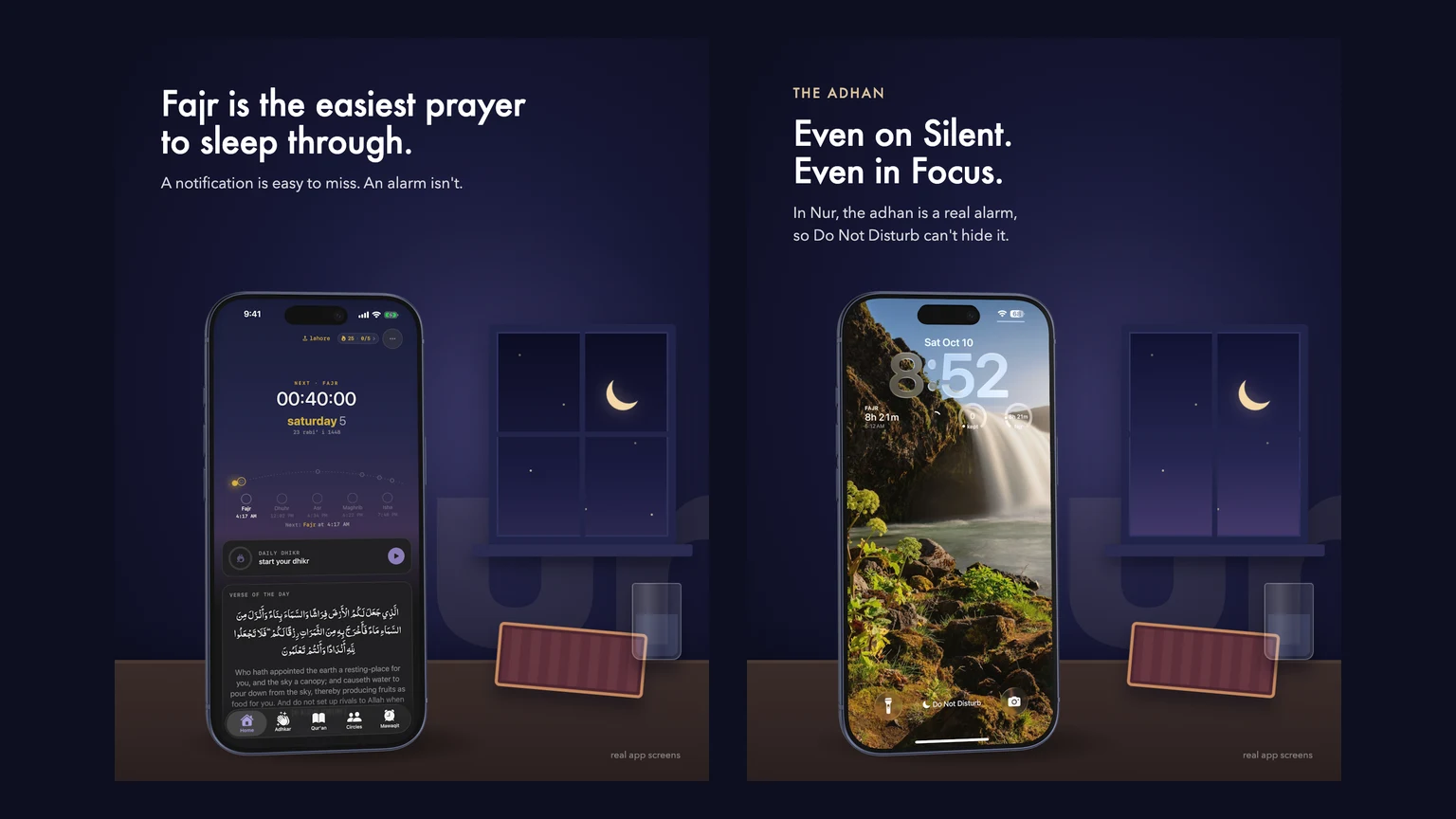
Fajr, the dawn prayer, is the one most people miss. Not because they don't care. Because they're asleep.
For years prayer apps have handled it the same way: a notification at prayer time. It lights up the screen for a second, plays a short sound, and it's gone. If your phone is on Silent, you get nothing. If you're in a Sleep Focus, it waits quietly in Notification Center until you wake up, which is exactly the problem.
When Osama Fahim and I started building Nur, a free prayer app with no ads, this was the part I cared about most. I wanted the adhan for Fajr to wake you up the way your morning alarm does.
Why notifications were never going to work
iOS treats notifications as things that can wait. That's the right call for almost every app. A prayer time can't wait, but a third-party app had no honest way to say so. The workarounds were all bad: long notification sounds that get cut off, asking people to turn off Silent mode, or telling them to set their own alarm in the Clock app every night, by hand, for a time that changes every day.
Then Apple shipped AlarmKit in iOS 26. It lets an app schedule a real alarm, the same kind the Clock app makes. It rings through Silent mode and Focus, and you stop it the same way you stop any alarm. I'd already used it as a contractor on Timey, a shareable alarm app, so I knew what it could do. Fajr was the obvious place to use it next.
The tricky part: prayer times move
A morning alarm is simple. It's 7:00 every day.
Prayer times are not. Fajr shifts a little almost every day through the year, all five prayers depend on where you are, and they change when you travel. So Nur can't set one repeating alarm and walk away.
What it does instead is keep a rolling week armed. Nur works out the prayer times for the next seven days, for wherever you are, and schedules a separate alarm for every prayer you've turned on. Sunrise is skipped, since it isn't a prayer. Fajr and Maghrib are on by default and you can switch on the others.
Every time the app refreshes, it checks that week again and tops it up. You turn the alarm on once and it keeps moving with Fajr by itself.
Keeping a week of alarms in sync
Rebuilding every alarm on every refresh would be wasteful, and it can go wrong while an alarm is actually ringing. So each alarm gets an ID built from the prayer and its exact date and minute. Fajr on a given Tuesday at 4:15 always gets the same ID. When Nur refreshes, it can tell straight away which alarms already exist, which ones are still correct, and which ones changed.
Alarms that are already right are left alone. Alarms for prayers you've switched off are removed. And an alarm that is ringing right now is never touched, whatever else changes.
Things AlarmKit taught us the hard way
You can't schedule over an alarm that already exists. When someone changed their adhan recording, every alarm in the week needed the new sound. AlarmKit refused to replace them and gave back an error that didn't explain much. The fix was to cancel the old alarm first and then schedule the new one, for each prayer.
There's a limit to how many alarms an app can hold. If Nur hits it, it stops, keeps everything that was confirmed, and records how far ahead you're actually covered. That date shows in the app, so you know the alarms are set up to that day.
One failure shouldn't silence the whole week. If one prayer can't be scheduled, Nur carries on with the rest and tells you which one failed, instead of quietly giving up.
Never swap the adhan for a beep. AlarmKit plays short sounds bundled with the app, so every adhan recording is checked before it's used: it has to load and be under 30 seconds. If a recording is broken, Nur doesn't schedule a generic system tone in its place. A random beep at 4 a.m. is not what someone asked for.
Time zones will surprise you. Nur lets you follow a mosque's timetable, and someone in Karachi following a London mosque heard Isha around midnight. The app was ringing at London's moment instead of at the time shown on the screen. Now the times keep their clock reading on your phone, so the Home screen, the widgets, the Live Activity and the alarms all agree.
Staying armed when the app isn't open
A rolling week only works if the app gets to top it up. Nur asks iOS for a background refresh every few hours, but iOS decides whether that actually happens, based on how you use the app. So we don't count on it. Opening the app always refreshes the week, background refresh is a bonus, and the "covered until" date in the app tells you the truth either way.
There's also a test button in Settings that rings the adhan ten seconds later, so you can hear exactly what Fajr will sound like before you rely on it.
What I'd tell another iOS developer
If your app has a moment that really can't be missed, AlarmKit is worth a look. Treat it as a small scheduler you have to keep honest. Give alarms stable IDs, cancel before you replace, expect a limit, never fake the sound, and show people how far ahead they're covered.
And test it with Silent on. That's the whole point.
Nur is free, with no ads, on the App Store as "NUR Prayer Times, Quran, Qibla". If you try the Fajr alarm, I'd love to hear how the first morning went.
Nur is built by me and Osama Fahim.
Common questions
Can an iOS app ring an alarm when the phone is on Silent?
Yes, from iOS 26. Apps that use AlarmKit can schedule real alarms that ring through Silent mode and Focus, the same way Clock app alarms do. The person has to allow alarms for the app first.
How does Nur keep the Fajr alarm correct when prayer times change every day?
Nur keeps a rolling week of alarms. It works out the prayer times for the next seven days for your location, schedules one alarm per enabled prayer, and tops the week up every time it refreshes.
Is Nur free?
Yes. Nur is free with no ads and no subscription. It is on the App Store as NUR Prayer Times, Quran, Qibla.